Copy Marks
Copy Shot or Timeline marks from one scene to another.
How To Use
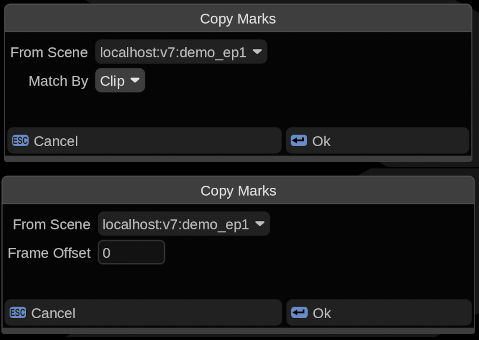
Select Copy Marks From Scene… or Copy Shot Marks From Scene… under the main Scene menu.
Both the scene you want to copy marks FROM and INTO must be open. The scene you want to copy INTO should be the active scene. You can choose which other open scene you want to copy marks FROM.
- Timeline marks can be offset by a set number of frames in the new scene
- Shot marks are copied to corresponding shots by matching tape or clip names (user selectable)
Installation
Place CopyShotMarks.py and/or CopyTimelineMarks.py into the /vol/.support/scripts folder which is the same as
- Linux: /usr/fl/scripts
- MacOS: /Library/Application Support/FilmLight/scripts
Restart Baselight or select Views > Scripts >  > Reload Scripts… to load.