
Frame Rate Setup Check
Verify SDI frame rate matches scene frame rate.
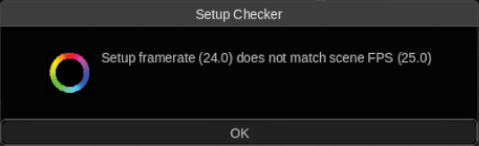
Every time you open a scene, this script will warn you if the Working Frame Rate of the scene doesn’t match your SDI video output frame rate (which can cause issues with audio sync or irregular playback).
Note it only works if using SDI output, it won’t check the frame rate of the image in your UI display or streaming output.
Contributed by Otto Rodd
Installation
Place frame_rate_steup_check.py into the /vol/.support/scripts folder which is the same as
- Linux: /usr/fl/scripts
- MacOS: /Library/Application Support/FilmLight/scripts
Restart Baselight or select Views > Scripts >  > Reload Scripts… to load.